The Verge:AI(RSS)Aioga 编辑团队2026-07-20T16:00:00.000Z热度 45
Adobe 为 iPhone 摄影应用 Project Indigo 推出 AI Playground 更新,包含生成式滤镜、物体移除、照片分析建议及自定义编辑四项功能。该实验...
产品更新The Verge:AI(RSS)
今日 AI 情报摘要
Adobe 为 iPhone 摄影应用 Project Indigo 推出 AI Playground 更新,包含生成式滤镜、物体移除、照片分析建议及自定义编辑四项功能。
该实验性套件暂采用 Google 的 Nano Banana AI 模型,未来可能切换。 免费测试面向少量用户开放,若受欢迎将推出付费版本。
中文正文 · AI 翻译
Adobe 的实验性相机应用出现了意想不到的变化。在去年推出 Project Indigo 以为 iPhone 摄影提供“更自然(类似单反)外观”之后,Indigo 相机应用现在正在更新一套生成式 AI 工具。而这一变化并不依赖于 Adobe 自己的 Firefly AI 模型。
Adobe 将新的“AI Playground”工具套件描述为一项实验,并表示有一个按钮允许用户选择退出,继续像以前那样使用应用。未来几周,Adobe 将在小部分 Indigo 用户中测试无需登录即可免费访问该套件。“我们的目标是了解人们如何使用生成式 AI 编辑功能。根据实验的成功情况,我们可能会延长实验周期、扩大用户群,或者进行后续实验,”Adobe 研究员 Marc Levoy 在公告博客中表示:https://research.adobe.com/articles/playground/playground.html。“如果该功能受到欢迎,我们最终将提供付费版本。”
Indigo 应用在 1.1 版本更新中增加的 AI Playground 包括四个部分:Styles、Object Editing、Photo Guidance 和 Custom Edit。Levoy 表示,每个部分包含“多个按钮或切换开关,它们会触发我们为其设计的生成式 AI 提示”。如果你不满意编辑结果,你可以再次按下按钮,“通常会得到略有不同的结果”。
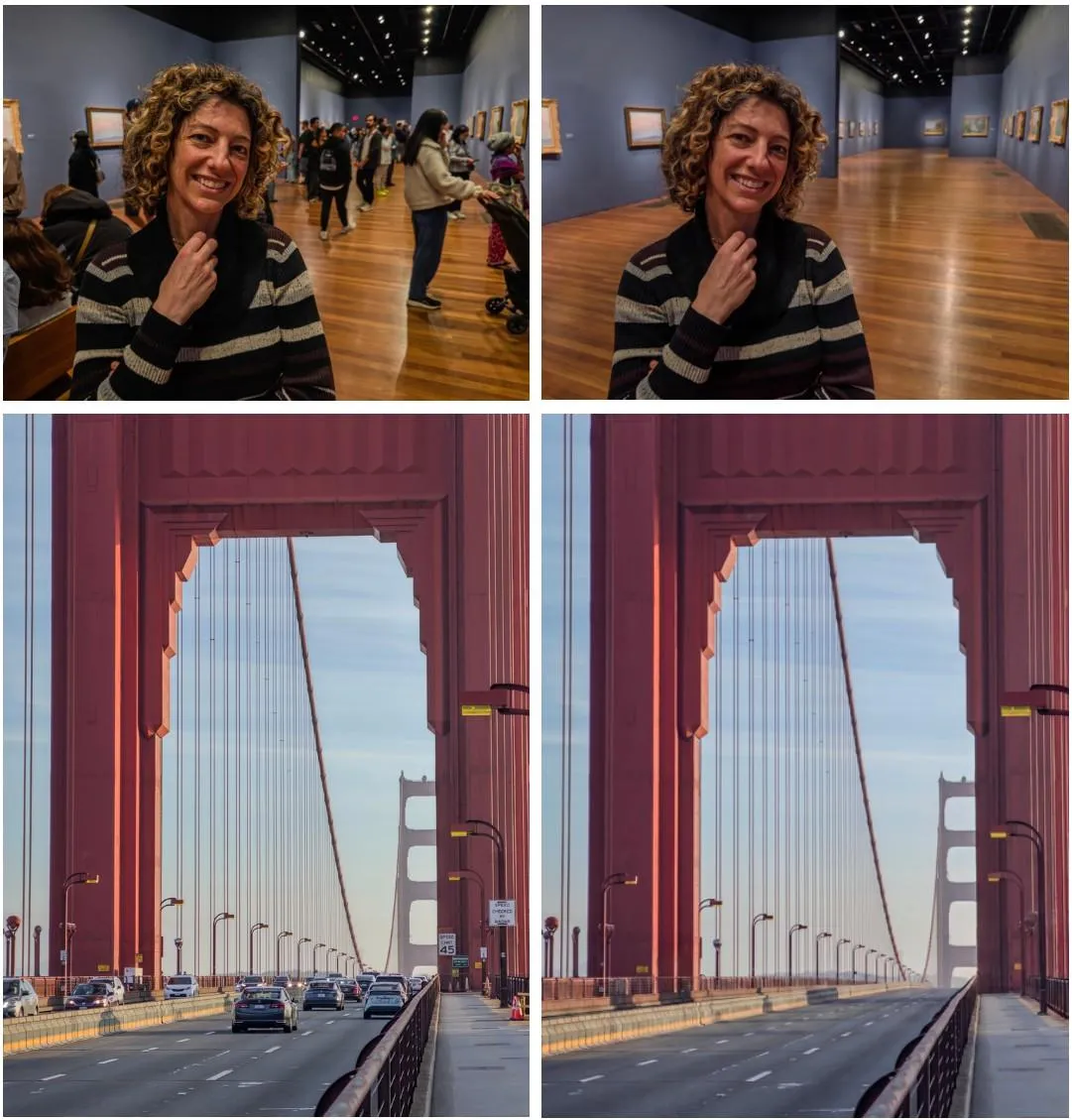
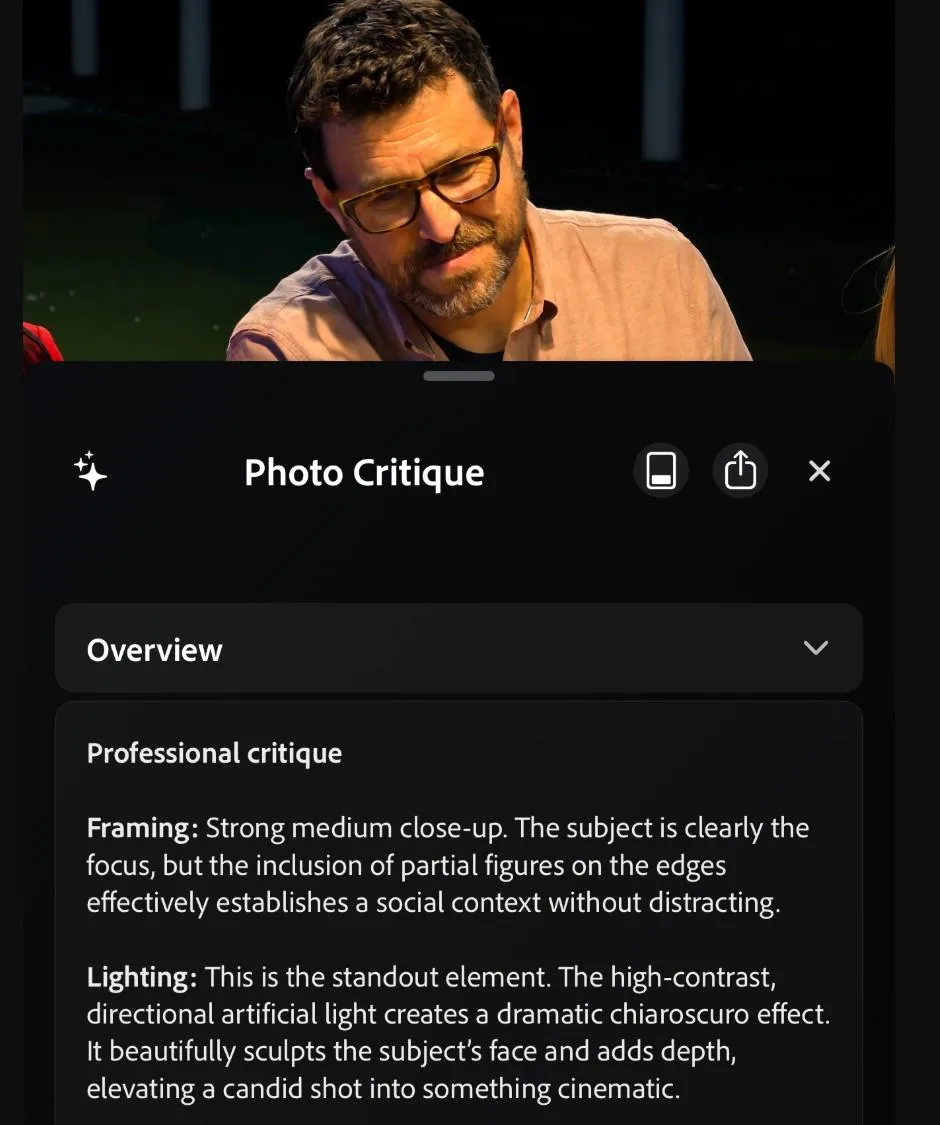
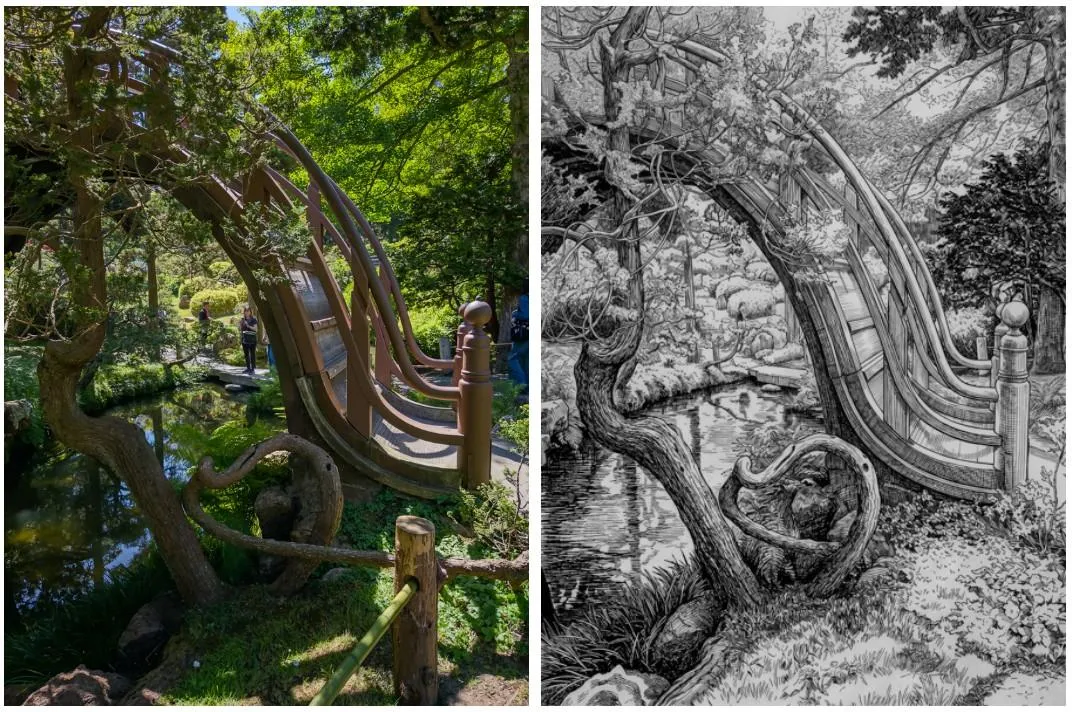
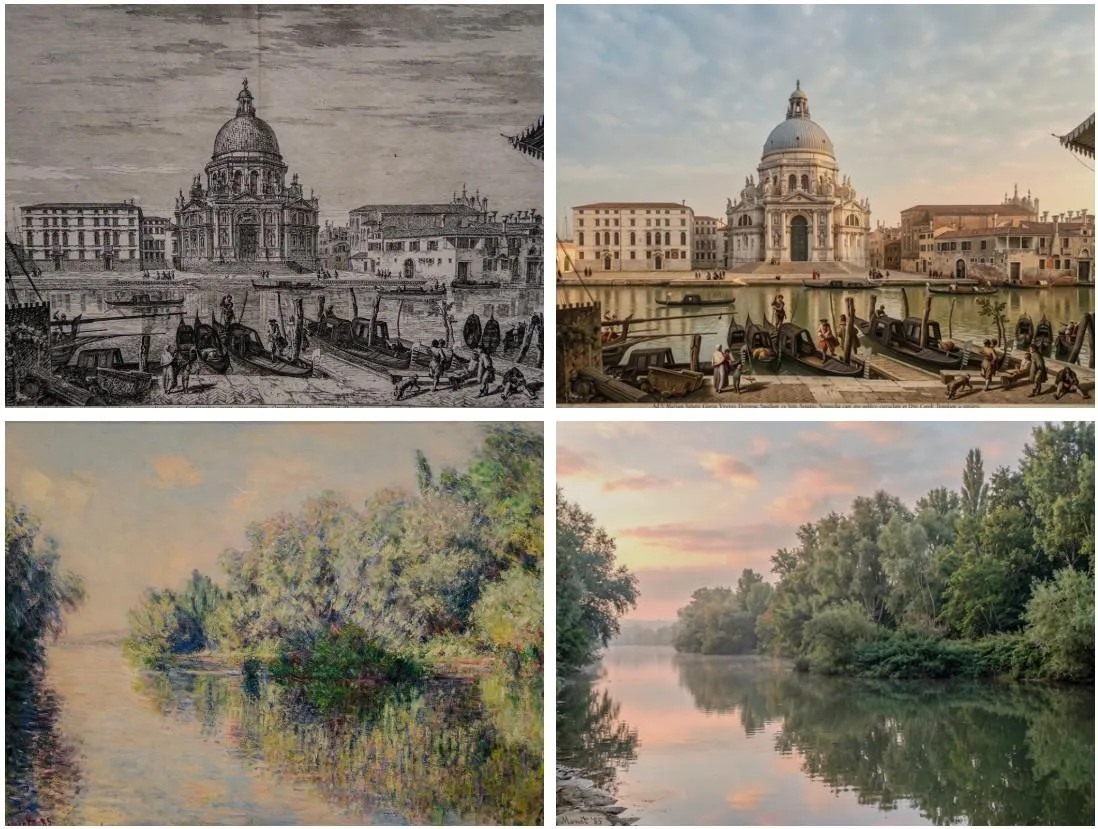
Styles 会将预设的 AI 生成滤镜效果应用到使用 Indigo 拍摄的照片上,使其看起来像插画,改变光效等。Object Editing 包含可移除照片背景中的人物、物体和其他干扰元素的工具,然后使用生成式 AI 填补留下的空白区域,类似于 Google 的 Magic Eraser 功能。Photo Guidance 是一个反馈功能,允许 AI 分析你的照片并提供重拍和编辑建议。
最后一个功能 Custom Edit 是一个更广泛的提示工具,让用户可以更详细地描述他们想要如何处理图像。例如,如果你对 Styles 预设的结果不满意,Custom Edit 可以让你指定还希望更改的内容。Adobe 在此次更新中“初步”依赖 Google 的 Nano Banana AI 模型,但表示可能随着时间推移切换或引入额外的模型支持。
Adobe’s experimental camera app has taken an unexpected turn. After Project Indigo was launched last year to provide a “more natural (SLR-like) look” for iPhone photography, the Indigo camera app is now being updated with a suite of generative AI tools. And the change doesn’t rely upon Adobe’s own Firefly AI models.
Adobe describes the new “AI Playground” tooling suite as an experiment and says there’s a button that allows users to opt out and continue using the app as before. Free access to the suite with no sign-on requirement is being tested with a small percentage of Indigo users over the next few weeks. “Our goal is to learn how people use GenAI-powered editing. Depending on its success we may extend the experiment, or expand the user pool, or run follow-on experiments,” Adobe fellow Marc Levoy says in the announcement blog:https://research.adobe.com/articles/playground/playground.html. “If the feature proves popular, we will eventually offer a paid version.”
The Indigo app’s AI Playground, added with the version 1.1 update, includes four sections: Styles, Object Editing, Photo Guidance, and Custom Edit. Levoy says each section contains “multiple buttons or toggles, which trigger GenAI with prompts we have engineered for them.” If you don’t like the results of an edit, you can press the button again and “ typically get something slightly different.”
Styles applies preset AI-generated filter effects to photographs snapped using Indigo, making them look like illustrations, changing the lighting effects, and more. Object Editing includes tools that remove people, objects, and other distractions from the backgrounds of images, with generative AI then used to fill in the blank spaces left behind, similar to Google’s Magic Eraser feature. Photo Guidance is a feedback feature that allows AI to analyze your photos to provide suggestions for reshoots and editing.
The last feature, Custom Edit, is a broader prompting tool that lets users describe how they want to manipulate an image in more detail. For example, if you’re unhappy with the results of a Styles preset, Custom Edit allows you to specify what else to change. Adobe is leaning on Google’s Nano Banana AI model for this update “to start,” but says it may switch or introduce additional model support over time.
It’s a far cry from the experience that Indigo provided at launch:/news/690115/adobe-project-indigo-camera-app-marc-levoy, with my colleague Allison describing it as a “camera app built by camera nerds for camera nerds:/tech/694014/adobe-project-indigo-camera-app-hands-on-hdr.” It uses computational photography features to help mobile photographers capture better-quality images that re-create the look of SLR photos, alongside providing manual controls like focus, shutter speed, ISO, and white balance. The introduction of generative AI editing features may have been planned from the start, however.
“This is the beginning of a journey for Adobe — towards an integrated mobile camera and editing experience that takes advantage of the latest advances in computational photography and AI,” Levoy said when the Indigo app first launched:https://research.adobe.com/articles/indigo/indigo.html.
Notably, the experiment also lacks the same level of consideration toward AI transparency that Adobe usually exerts:/2023/10/10/23911381/adobe-ai-generated-content-symbol-watermark. Levoy says the Indigo team is working toward adding C2PA Content Credentials — a metadata standard for identifying AI content that’s already widely used by Adobe’s Firefly models — to images manipulated by Indigo’s generative AI tools and notes that Nano Banana already applies Google’s invisible SynthID watermark:/tech/933424/google-synthid-c2pa-content-credentials-expansion.
“Whether the edits you apply are ‘fair’ or ‘misleading’ depend on what you do, who you share the images with, and how you present them.” Levoy says. “In the end, nothing can be implemented that reduces the importance of behaving responsibly.”

 扫码直达文章详情