Access Runway’s models directly inside Premiere Pro and After Effects to generate, edit and upscale without leaving your timeline.
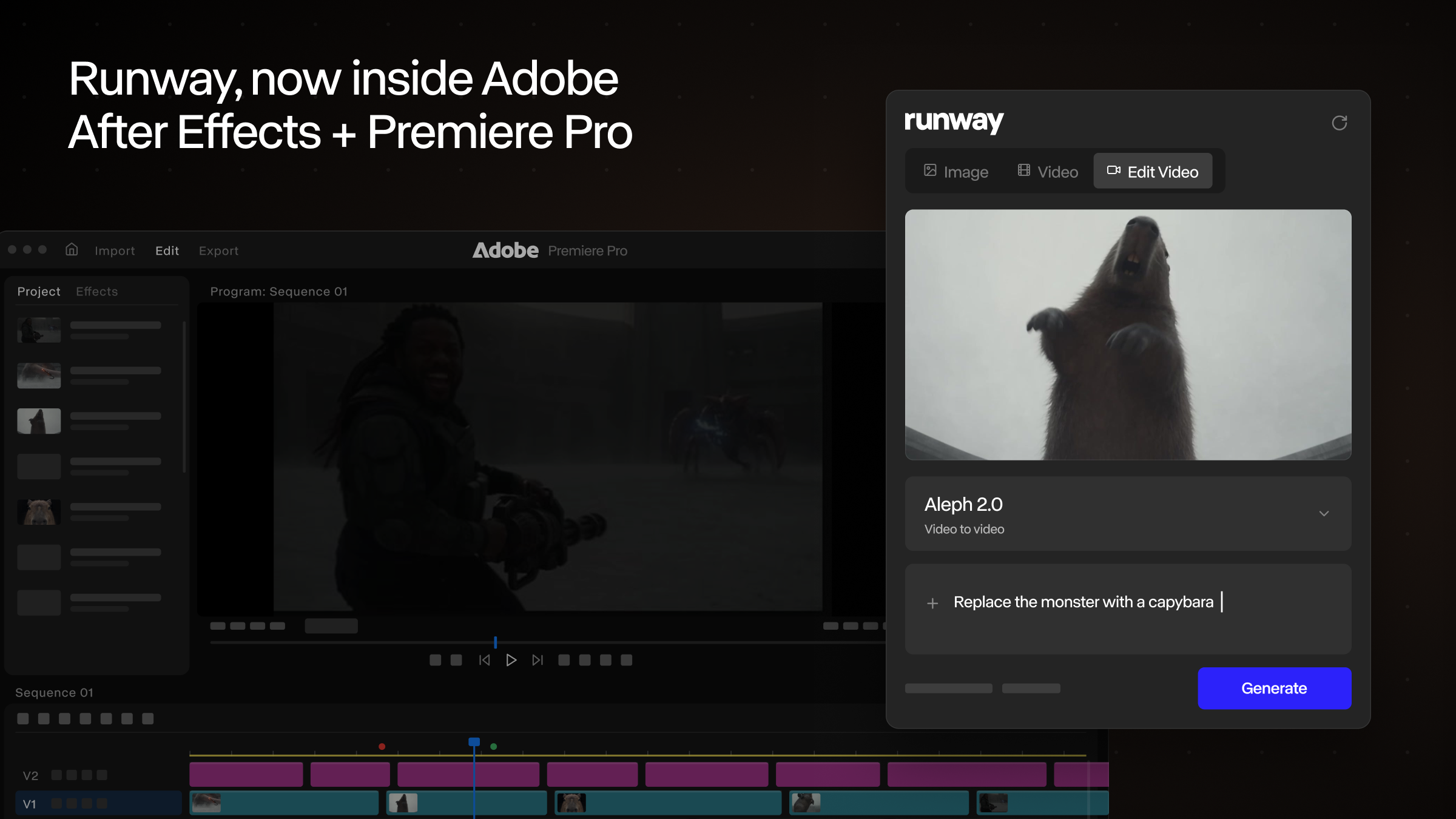
Today we're introducing Runway Plugins. With our new Adobe plugin, a Runway panel runs inside the iconic Premiere Pro and After Effects apps. Generate images and video, restyle the footage on your timeline and place every result directly into your comp or sequence.
Until now, using Runway mid-edit meant leaving it: export a frame, upload it to a browser tab, download the result, re-import it and find your place again. Our panel eliminates that loop altogether. Prompt from inside After Effects or Premiere, watch the generation resolve in the feed and click to place it. In Premiere, results land at your playhead, ready to trim.
Edit Studio works on the clip you already have: select it in your comp or sequence, restyle its anchor frames, and Aleph 2:https://runway.com/product/aleph-2 re-renders the full clip to match at the same duration as your source. Compare before and after in the panel, then drop it back into the edit.
Sign in from the panel and generations use your existing plan and credits, with a workspace switcher for people who work across teams. HDR conversion, background removal and upscaling are one click away on any selected clip or feed asset.
Runway Plugins are free to download for macOS and Windows from our plugin page:https://runway.com/plugins. Generating from the plugin is available on all paid plans and uses your existing plan credits.
Get started with the new Runway Plugins:https://runway.com/plugins.
情报判断
Aioga 编辑摘要
Runway 发布 Runway Plugins,将 Runway 面板嵌入 Premiere Pro 和 After Effects。用户可在时间线内生成图像和视频、重渲染片段、进行编辑与放大,并将结果直接放入合成或序列。
背景分析
来源称,插件支持在 Premiere Pro 和 After Effects 内直接调用 Runway 模型。Premiere 中生成结果会落在播放头位置;Edit Studio 可基于已有片段的锚点帧重渲染,并保持与源片段相同的时长。
可能影响:依赖 Premiere Pro 或 After Effects 的创作者需要评估插件与现有流程的适配性、账号计划和额度使用方式。插件可降低素材往返操作,但不代表所有生成结果都能直接满足项目要求,仍需要人工比较和编辑。 后续观察:需要关注插件在实际时间线中的稳定性、生成结果与原片段的匹配程度,以及团队切换工作区和现有计划额度时的使用体验。还应核对具体功能在不同付费计划中的可用范围。




 扫码直达文章详情