Adding video generation to an application is straightforward when you’re testing one model. The complexity shows up when you want to try another. Each provider can have its own endpoint, request parameters, job statuses, polling logic, and output format. That turns a simple model change into another integration to build and maintain.
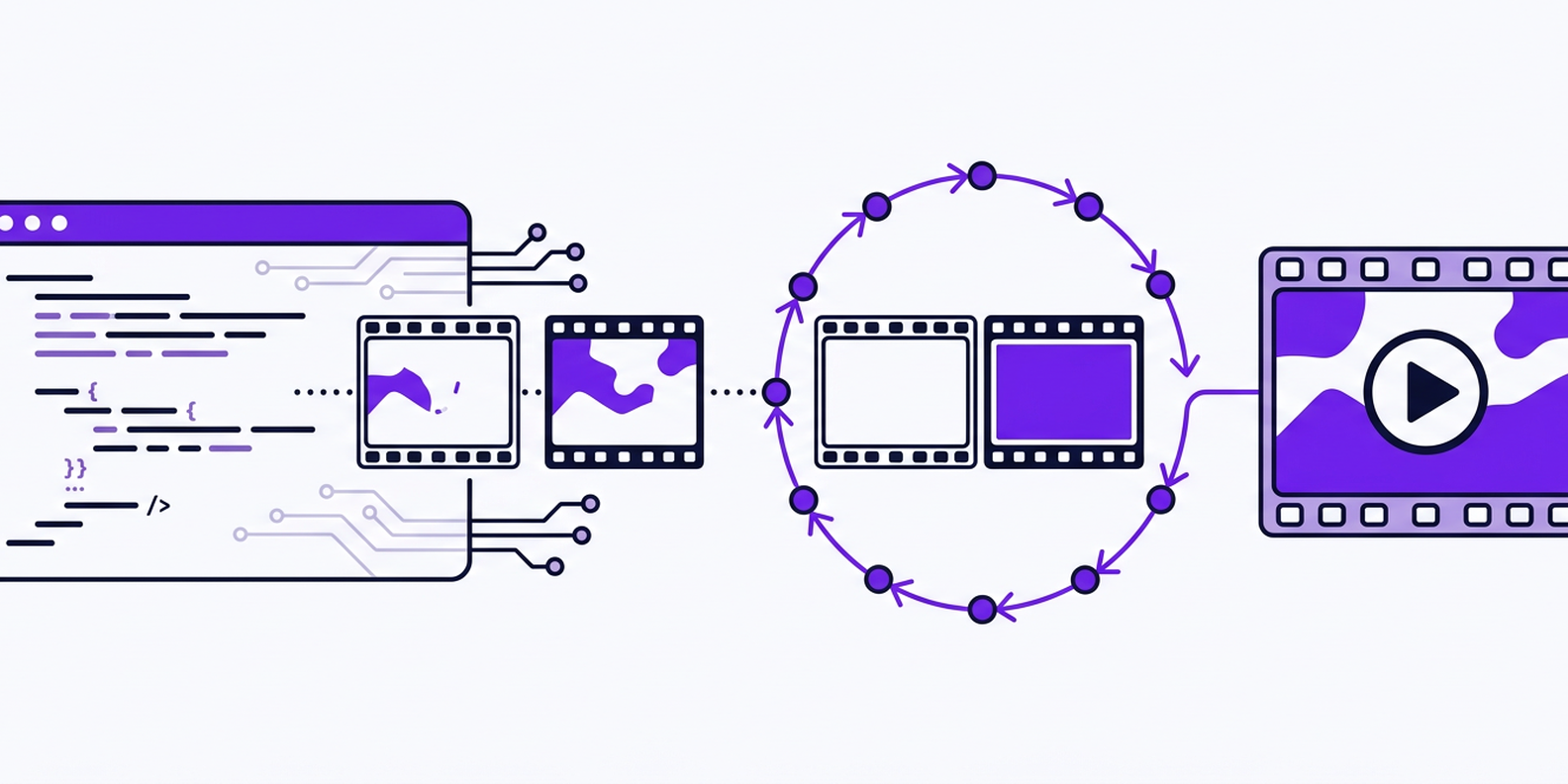
We put that workflow behind one asynchronous video API:https://openrouter.ai/docs/guides/overview/multimodal/video-generation. You submit a prompt to POST /api/v1/videos , receive a job ID, poll until generation completes, and then download the finished video.
In this guide, we’ll build that flow from start to finish. We’ll submit a job with Seedance, poll it safely, save the MP4, and then run the same integration with Veo and Wan.
Video generation takes longer than a typical API response. A model has to generate and coordinate many frames, maintain visual consistency across them, and sometimes produce matching audio. Depending on the model and requested settings, that process can take from several seconds to a few minutes.
Keeping the original HTTP request open for that entire period is fragile. A browser session can close, a serverless function can reach its execution limit, or a proxy can time out before the video is ready.
An asynchronous API separates submission from completion:
Your application can keep running while the model works in the background. It can also recover a job after a restart because generation is attached to a persistent job ID rather than a long-lived connection.
A direct provider integration can work well when you already know which model you want and don’t expect that to change. You use the provider’s authentication, request format, job statuses, polling endpoint, and output response.
The additional work becomes visible when you want to compare another model. The new provider may use different field names for duration and resolution, or return a different job object with different terminal statuses. It may also require another method for downloading the finished asset. Your application then needs a second client, another set of environment variables, and more provider-specific error handling.
There’s nothing inherently wrong with that approach. It just means switching models is an integration change instead of a configuration change, which makes experimentation slower and raises the maintenance cost as your model list grows.
Local generation gives you the most control. You can choose the model weights, customize the workflow, keep assets within your own environment, and avoid paying a hosted provider for every generation.
That control comes with infrastructure responsibilities. You need suitable GPU capacity and the right Python and CUDA dependencies. You also need enough storage and a working environment for each model family. Higher resolutions and longer videos increase memory and processing requirements, and adding another model may mean downloading more weights or maintaining another workflow.
This can be worthwhile for teams that already operate GPU infrastructure or require local processing. It’s a heavier starting point when your goal is to add video generation quickly and test several models. The hosted OpenRouter path removes most of that setup, which is what the rest of this guide covers.
We keep the generation lifecycle consistent across supported video models. The application uses the same API key, POST /api/v1/videos endpoint, job-status flow, and output-retrieval process whether the selected model is Seedance, Veo, Wan, or another model in the catalog.
The models still have different capabilities. One may support longer durations, while another offers additional aspect ratios, higher resolutions, audio generation, or provider-specific controls. We expose those differences through the video-model endpoint rather than forcing every model into an identical feature set.
That gives you a stable integration without hiding what makes each model different. Your application can query the current capabilities, build a valid request, and change models without replacing the surrounding job infrastructure.
You only need an OpenRouter API key and a tool that can send HTTP requests. The examples here use Python with requests and TypeScript with the built-in fetch API, but the workflow works from any language that can make an HTTP request.
Start by creating an API key from your OpenRouter account, then store it in an environment variable instead of adding it directly to your source code:
For the Python examples, install requests if you don’t already have it:
OpenRouter authenticates API requests with a bearer token. In Python, we’ll define the shared values once and reuse them throughout the guide:
Before submitting a job, you can also query the video-model endpoint:https://openrouter.ai/docs/guides/overview/multimodal/video-generation#via-the-video-models-api to see which models are currently available and what each one supports:
The response includes each model’s supported durations, resolutions, aspect ratios, frame-image support, audio capabilities, pricing SKUs, and provider-specific parameters. This is more reliable than assuming that settings accepted by one video model will also work with another.
Send a POST request to /api/v1/videos with the video model. Include a prompt that describes what you want to generate.
model is required on every request, and prompt is required for text-to-video. Models that support generating a video from image input alone can omit it. You can also provide optional settings such as duration, resolution, aspect ratio, audio generation, reference images, and a seed when the selected model supports them.
We’ll use the same prompt throughout the guide:
The following function submits the job using Seedance 2.0:
A successful request returns HTTP 202 Accepted. The response represents a background job, not the finished video:
Store the returned job ID before continuing. If your process restarts, you should be able to resume tracking the existing job instead of submitting and paying for another generation.
The polling_url returned in Step 1 points to the same job resource you’d reach at GET /api/v1/videos/{id} , they’re the same endpoint. A video job can move through the following statuses:
Your polling loop should return on completed and stop with an error on failed , cancelled , or expired . Otherwise, the application could keep checking a job that will never produce a video.
Documented responses return polling_url as a complete URL. The urljoin call below is defensive coding that also handles a relative path, so the loop works either way:
This loop includes two safeguards that quick examples often omit. First, it handles every documented terminal state instead of waiting only for completed . Second, it sets a one-hour timeout so a job can’t leave the process running indefinitely. One edge case worth knowing: because the deadline is checked before each sleep rather than after, a job can run up to one poll interval past the nominal timeout in the worst case before the loop catches it. That’s a fine trade-off for a background job. If you need a hard ceiling, check the deadline again immediately after waking from sleep too.
Our current guidance uses a 30-second polling interval:https://openrouter.ai/docs/guides/overview/multimodal/video-generation. Video jobs usually take from around 30 seconds to several minutes, and checking every second doesn’t make the provider finish sooner. That interval and the timeout ceiling above are both operational guidance, not a documented contract from the endpoint itself, so tune them to your own workload.
The same polling flow in TypeScript:
Treat a failed status request differently from a failed video job . A temporary timeout while polling doesn’t prove the generation itself failed. Retry the status request for the same job ID rather than submitting a new job.
When the status becomes completed , the job response includes a populated unsigned_urls array. Each entry points at the job’s authenticated content endpoint:
The index defaults to 0. It only needs to change when a model returns multiple video outputs. Despite the field name, these URLs are not presigned, so send your API key in the Authorization header just as you did while polling.
The helper below uses the first unsigned URL when one is present and reconstructs the content URL from the job ID on the rare chance it isn’t.
Streaming the response in chunks avoids loading the entire MP4 into memory before writing it to disk.
Here’s the TypeScript equivalent. Note that this version buffers the download into memory rather than streaming it to disk, which is fine for short clips but worth swapping for a piped stream if you’re routinely downloading long or high-resolution video:
At this point, you have a generated MP4 on disk. Move completed videos to storage you control instead of treating the generation endpoint as permanent file hosting. The completed job may also include a usage object containing the final cost, which is part of the response body regardless of which language you’re using:
Store that value with your internal job record so you can track the actual cost of each generation.
The submission, polling, and download functions aren’t tied to Seedance. To use another supported video model, change the model identifier:
The endpoint, authentication, response shape, status handling, and download logic stay the same across all three. What doesn’t automatically carry over is every optional setting. Model switching is a one-line change to the code, but it isn’t a guarantee that any given duration, resolution, or aspect ratio combination will validate on the new model. This configuration happens to be portable across all three models covered in this guide:
At the time of writing, the live model endpoint shows Seedance 2.0, Veo 3.1, and Wan 2.7 all supporting that specific combination: four seconds, 720p, 16:9. That’s a shared configuration across these three examples, not a claim that every setting works identically on every model. Move outside it and the differences show up quickly:
A five-second request would validate against Seedance and Wan but fail on Veo. That’s why your application should query /api/v1/videos/models before submitting a request rather than assuming that settings accepted by one model will work on another. The numbers above are worth re-checking against that live endpoint before you rely on them, since model capabilities do change.
The same endpoint also exposes allowed_passthrough_parameters for model-specific features. These are the keys you’re permitted to send inside the request’s provider.options object, which is keyed by provider slug, such as provider.options["google-vertex"].parameters . Only the options for the provider that serves your request are forwarded, and unrecognized keys are dropped. Veo, for example, currently lists controls such as negativePrompt and enhancePrompt , while Wan exposes options including negative_prompt and prompt_extend .
The code above is enough to generate and download one video. Once this is running in production, the questions change: you need to control cost, separate job failures from network failures, avoid duplicate processing, and keep tracking jobs after the submitting process exits.
Video-generation pricing varies by model and configuration. Duration, resolution, audio generation, and the provider’s billing method can all affect the final cost. Local generation shifts that cost structure entirely, with no per-clip fee but real upfront hardware and maintenance cost instead. A hosted API keeps that cost variable and tied to usage, which is cheaper or more expensive depending on your volume and whether you already own the hardware.
Don’t build one universal cost formula into your application. Query /api/v1/videos/models and read the selected model’s pricing_skus before displaying an estimate or submitting a large batch. When the job completes, the response can include a usage object with the actual cost of that generation:
Before running a large batch, estimate the cost using the current model data, then compare the estimate with the actual usage.cost values returned by completed jobs. This also helps you spot unexpected changes caused by a higher resolution, longer duration, generated audio, or a different model.
A failed polling request isn’t the same as a failed video-generation job . Your application may lose its connection while checking status even though the provider is still generating the video. If you submit the prompt again immediately, both jobs may complete, leaving you with two videos and two charges for one user request.
Persist the OpenRouter job ID as soon as submission succeeds. A useful job record might contain fields like these:
When a status request fails because of a timeout, connection error, or temporary server response, retry the status request using the existing job ID. Only create a new generation after the job itself reaches failed , cancelled , or expired , and only if your application’s retry policy allows another attempt.
Keep job retries separate from polling retries. A polling retry checks the same job again, while a generation retry creates a new paid job. Cap generation retries and retain every job ID created for the same internal request, so you have a complete record when you need to investigate duplicate outputs, provider failures, or unexpected costs.
Polling:https://openrouter.ai/docs/guides/overview/multimodal/video-generation#poll-response is a good default for scripts, prototypes, and small numbers of jobs. It becomes less efficient when your application may have hundreds of generations running at once.
To receive the result automatically, include an HTTPS callback_url when submitting the job:https://openrouter.ai/docs/guides/overview/multimodal/video-generation#webhooks:
You can set the callback for an individual request or configure a default callback for the workspace. The request-level value takes precedence over the workspace default.
We send the webhook when the job reaches a terminal state. Each delivery includes an X-OpenRouter-Idempotency-Key , such as:
Store that value before processing the event. If the webhook is delivered again, your handler can recognize that the job’s already been handled instead of downloading the video or starting the next workflow twice.

 Scan to open this article