Google 详解 Ray AI 库在 TPU 上的运行:Serve、Data 与 Train 抽象化多主机调度与分布式训练
Google Developers Blog(RSS)Aioga 编辑团队2026-07-24T16:41:14.622Z热度 39
Google 在第二篇技术文章中展示了 Ray Serve、Ray Data 和 JaxTrainer 如何抽象化 TPU 切片上的 AI 工作负载复杂性。Ray Serve...
技巧观点Google Developers Blog(RSS)
今日 AI 情报摘要
Google 在第二篇技术文章中展示了 Ray Serve、Ray Data 和 JaxTrainer 如何抽象化 TPU 切片上的 AI 工作负载复杂性。
Ray Serve 通过简单拓扑配置实现多主机模型的 gang-scheduling,Ray Data 以原生 JAX 批次直接供给加速器以消除数据加载瓶颈,JaxTrainer 则自动处理跨切片协调、检查点与容错,简化分布式训练。
中文正文 · AI 翻译
简要总结:第2部分,总共2部分。第1部分:https://developers.googleblog.com/run-ray-on-tpu-part-1-the-foundations/ 介绍了你需要的一个硬件概念和下面的两层(GKE 和 Ray Core)。本部分展示了你实际构建时使用的库:Ray Serve、Ray Data 和 Ray Train。
如果你是第一次看到这里,快速回顾一下。将 Ray 运行在 TPU 上归结为一个注意事项:TPU 芯片被固定分组称为切片(主机虚拟机共享一个称为 ICI 的高速链接),多主机模型必须落在一个完整的切片上,否则其工作节点无法互相访问,作业会挂起。
配备 Ray Operator 插件的 Google Kubernetes Engine (GKE) 会提供切片并标记其主机,Ray Core 原语 slice_placement_group() 可以一次性预留整个切片。你声明一个拓扑(切片形状,例如 16 块芯片的 4x4),下面的库会为你处理放置问题。
TL;DR : Part 2 of 2. Part 1 :https://developers.googleblog.com/run-ray-on-tpu-part-1-the-foundations/ covered the one hardware idea you need and the two layers underneath (GKE and Ray Core). This part shows the libraries you actually build with, Ray Serve, Ray Data, and Ray Train.
Quick recap if you're landing here first. Running Ray on TPU comes down to one caveat: TPU chips are wired into fixed groups called slices (host VMs sharing a high-speed link called the ICI), and a multi-host model has to land on one whole slice or its workers can't reach each other and the job hangs.
Google Kubernetes Engine (GKE) with the Ray Operator add-on provisions slices and labels their hosts, and a Ray Core primitive, slice_placement_group() , reserves a whole slice at once. You declare a topology (the slice shape, like 4x4 for 16 chips, for example) and the libraries below handle the placement for you.
With Core handling placement underneath, the libraries all follow the same pattern: declare a topology, let Core reserve the slice. What changes per library is only what you declare it on. We'll go in the order most teams adopt them, serving first.
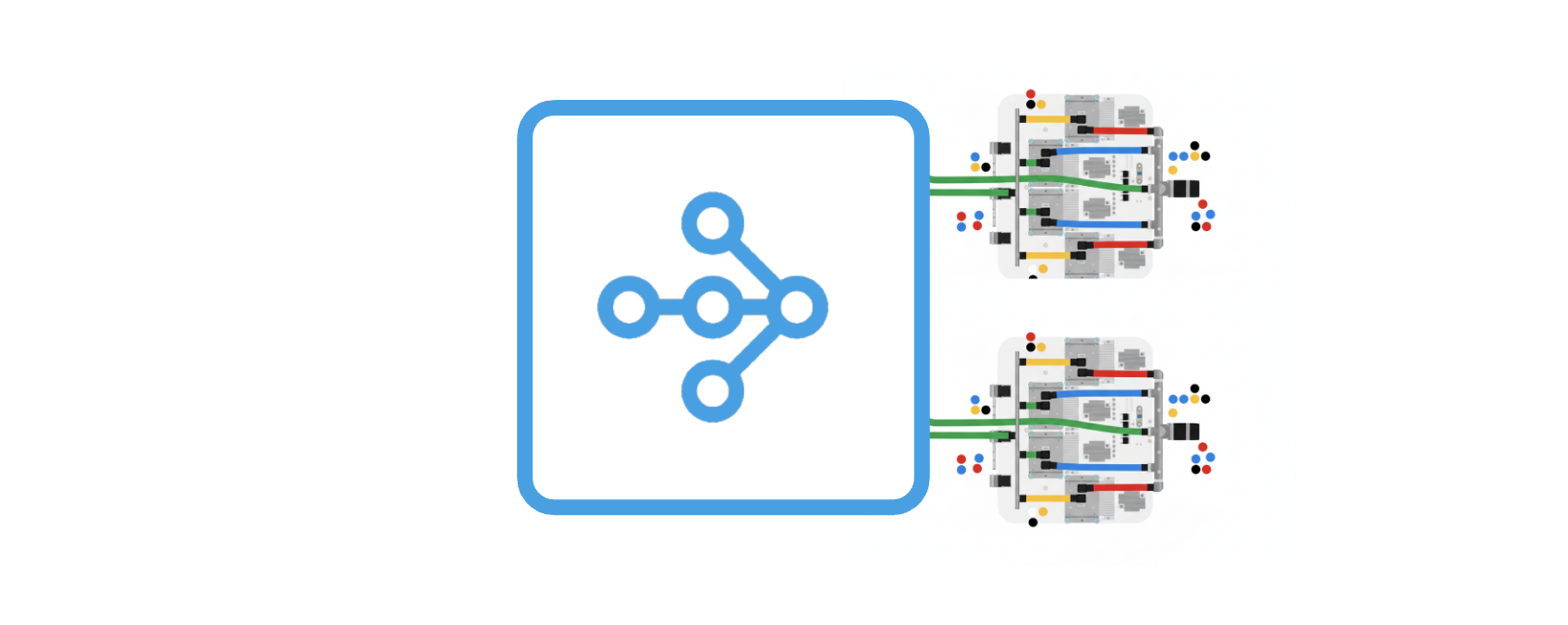
Serving is where most teams start from. A model that needs several GPUs to fit can run on a single TPU host, and TPUs are often a more available and cost-effective option for inference. Ray Serve gives you the usual autoscaling, load-balancing, and multi-model composition, and on TPU it serves LLMs through vLLM , a high-throughput engine.
Sorry, your browser doesn't support playback for this video
The hard case is when a model is too big for one host (say one sharded tensor-parallel across 16 chips). That's where Serve clears it with a single extra field, topology.
That one field is worth understanding, because getting it wrong is the classic multi-host TPU failure. With topology set, Serve's TPU backend skips its usual upfront placement group and defers to the replica, which creates a slice placement group at startup. That deferral is what keeps a tensor-parallel model's workers on one shared ICI mesh. Leave it off and Serve falls back to per-chip bundles; on a multi-host model those bundles can scatter across two slices, and because there's no ICI between slices, the workers never finish their first collective. You don't get a crash, you get a deployment that sits in DEPLOYING forever while you burn TPU-hours hunting for a bug that's really one missing line of YAML. So remember, topology field makes the difference.
In practice you deploy a RayService (recommended over a raw RayCluster for production) on a published vLLM TPU image, wait for it to reach Running, and curl the endpoint. The official GKE tutorials cover Llama 3 8B and Mistral 7B on v5e, Llama 3.1 70B on v6e, and Stable Diffusion. The serve step:https://github.com/GoogleCloudPlatform/kubernetes-engine-samples/tree/main/ai-ml/gke-ray/tpu/get-started/serve of the get-started example walks the full deployment end to end.
A fast accelerator is only as useful as the data you can keep flowing into it, and TPUs are fast enough that a naive loader becomes the bottleneck. That's the problem iter_jax_batches() solves. It hands you batches that are already JAX arrays and already device-sharded, so a training input pipeline or a large batch-inference job pulls straight from a Ray Data pipeline with no host-side NumPy-to-JAX copy stalling the step.
iter_jax_batches API does the device sharding for you, and it handles the ragged final batch (the one that isn't a clean multiple of your batch size) with an explicit choice of drop, pad, or raise, instead of a shape error three hours into a run.
You can use it as the input side of a JaxTrainer job, and it's just as useful on its own for offline batch inference over a big dataset on a TPU slice. It landed recently in Ray, and the data step of the get-started example uses it for dataset prep and batch inference.
Ray Train on TPU: distributed training with JaxTrainer
Training used to be the confusing part of Ray on TPU, because of topology and having to account for the slice shape in your code. JaxTrainer addresses that. It brings Ray Train's training loop (checkpointing, fault tolerance, multi-slice scale-out) to JAX, Google's array and autodiff library and the native framework for TPU. You hand it a training function and a slice shape and Ray launches one worker per host, wires them into a single mesh, and runs your function on each.
Two things in this snippet you want to keep in mind to save debugging time. The import jax lives inside train_loop_per_worker , not at the top of the file, because each worker initializes JAX in its own TPU context; import it at module scope and you'll fight cryptic device-init errors before the first step. And topology="4x4" is the entire placement declaration, the line that used to be a block of hand-written coordination code. Set next to a GPU JaxTrainer or TorchTrainer, the only real difference is use_tpu=True and a topology instead of a GPU count.
The rest it just runs. This is because Ray Train owns the loop, you get checkpointing and fault-tolerant restarts, which is what makes long TPU runs on preemptible capacity actually finish, and topology scales to multi-slice (Ray wires the cross-slice coordination) when one slice isn't enough. The train step:https://github.com/GoogleCloudPlatform/kubernetes-engine-samples/tree/main/ai-ml/gke-ray/tpu/get-started/train of the get-started example is a complete JaxTrainer DPO run.
As part of the first-class accelerator support, Ray now publishes official rayproject/ray:*-tpu images with the JAX/TPU stack ( jax[tpu] , flax, optax, orbax-checkpoint) and profiling tooling already installed, so you don't have to assemble a working TPU environment by hand. You can just base your image on the tagged -tpu one.
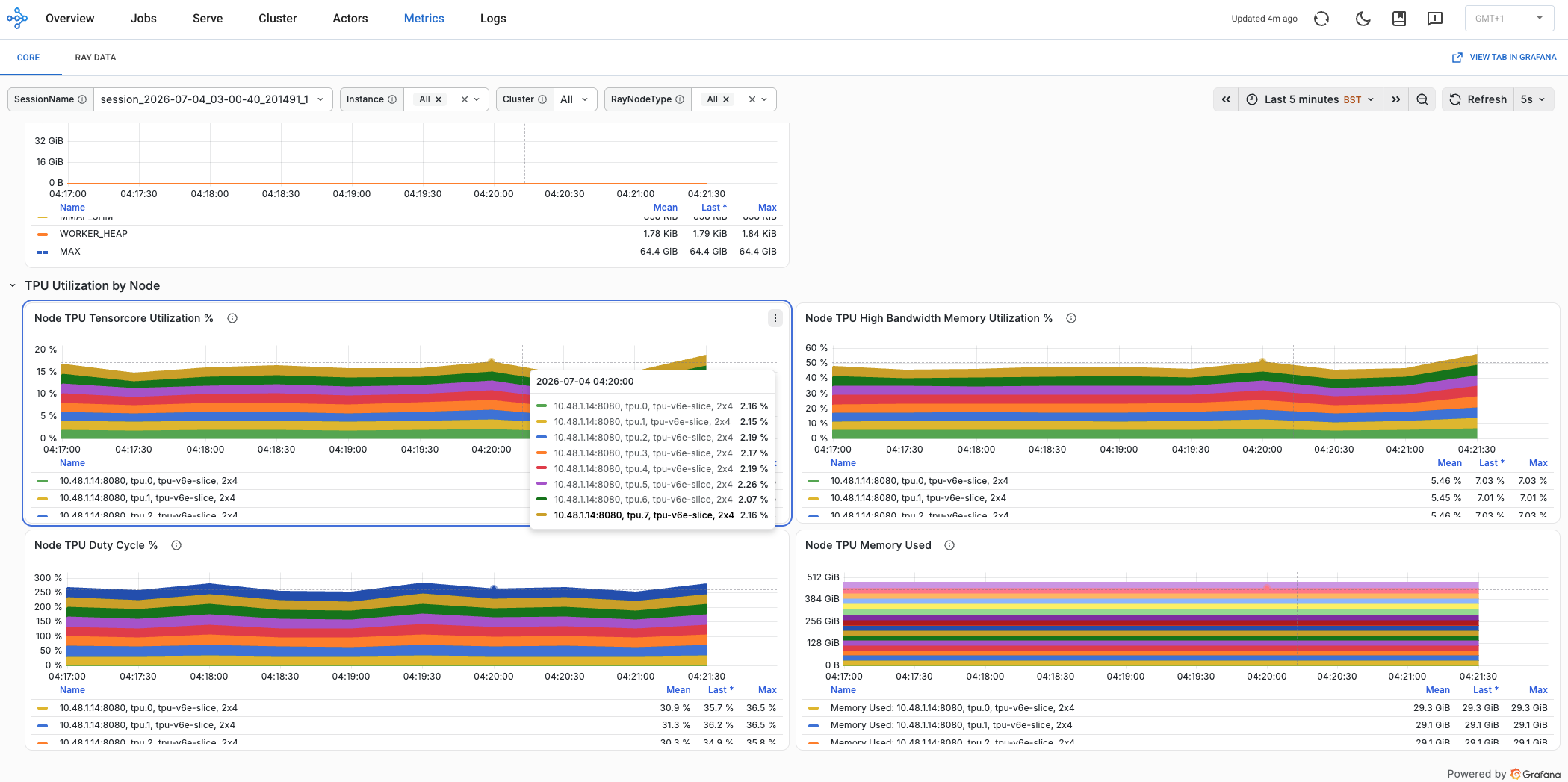
And for monitoring, the Ray Dashboard, Ray's built-in web UI for cluster and job state, now shows TPU utilization and memory next to CPU and GPU on the Cluster tab, with ray.util.tpu.init_jax_profiler() exposing a per-worker JAX profiler the dashboard can attach to.
In this developer guide on Ray on TPU, we covered the whole journey from how Ray runs on TPU to running AI workloads.
Part 1:https://developers.googleblog.com/run-ray-on-tpu-part-1-the-foundations/ showed that running Ray on TPU comes down to one caveat, keeping a multi-host model on a single intact slice, and that GKE (through the Ray Operator add-on) and Ray Core (through slice_placement_group()) handle that for you. This part put the AI libraries on top: Ray Serve gang-schedules a multi-host model onto one slice with a single accelerator_config.topology field, Ray Data feeds the slice JAX-native batches through iter_jax_batches() , and JaxTrainer runs a distributed training loop from one ScalingConfig. The same Ray you already use on GPUs, now on TPU.
And more is coming. The Ray team on Google Cloud is widening TPU support from here:https://discuss.google.dev/t/google-cloud-tpus-are-now-a-first-class-accelerator-in-ray/345281#p-914268-whats-next-in-progress-and-future-work-3: deeper Ray Data and Ray LLM TPU integration, SkyRL on multi-host TPU for reinforcement learning and post-training, and dynamic super/sub-slice support are all on the roadmap. For your own next step, my recommendation is: clone the get-started example:https://github.com/GoogleCloudPlatform/kubernetes-engine-samples/tree/main/ai-ml/gke-ray/tpu/get-started, stand up the cluster, then run serve, data, or train. Or just enable --enable-ray-operator on a cluster and run one Ray task on a small slice to see it work. You don't have to become a TPU expert to use one, just give it a try. For now, thanks for reading! And if you have any additional questions or feedback, feel free to reach out on socials (LinkedIn:https://www.linkedin.com/in/ivan-nardini, X:https://x.com/ivnardini).
New here? Part 1 :https://developers.googleblog.com/run-ray-on-tpu-part-1-the-foundations/ explains slices, GKE, and Ray Core, the foundation everything above builds on.
Expanding Choice in Gemini Enterprise Agent Platform: Introducing Grounding with Parallel Web Search
Bridging the Domain Gap: AI Race Coach built with Antigravity and Gemini
Run Ray on TPU, Part 1: The foundations
情报判断
Aioga 编辑摘要
Aioga 编辑摘要:Google 在第二篇技术文章中展示了 Ray Serve、Ray Data 和 JaxTrainer 如何抽象化 TPU 切片上的 AI 工作负载复杂性。 Aioga 将其归入「技巧观点」方向,重点关注它对真实使用和行业竞争的影响。



 扫码直达文章详情